How to Install
Install Train With Kurtis as a Progressive Web App (PWA) on your device for the best experience. This allows you to use the app like a native app, with quick access from your home screen and offline capabilities.
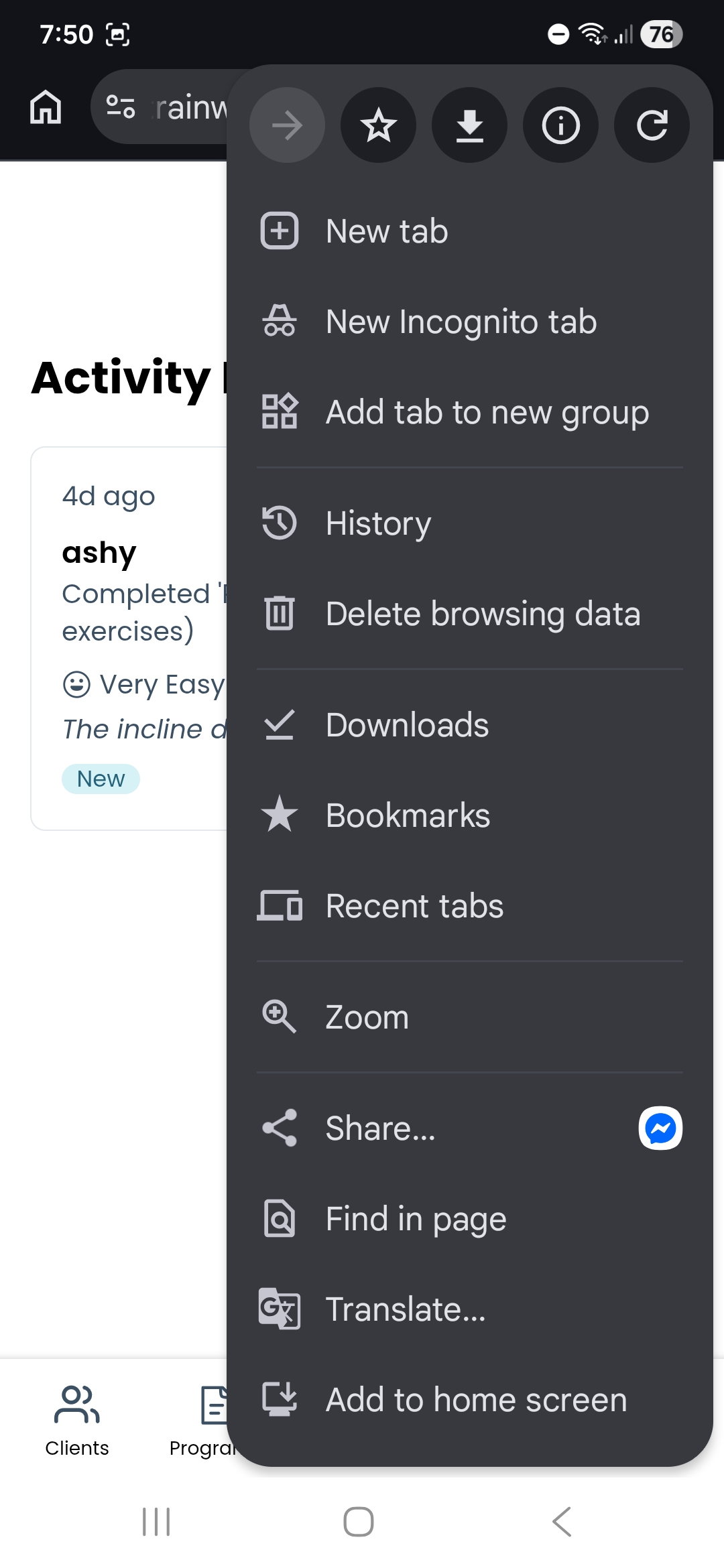
Step 1: Open Settings
Tap the three-dot menu in the top right corner and select "Settings". In the settings menu, look for "Add to Home screen" and tap it.
Step 2: Create Shortcut
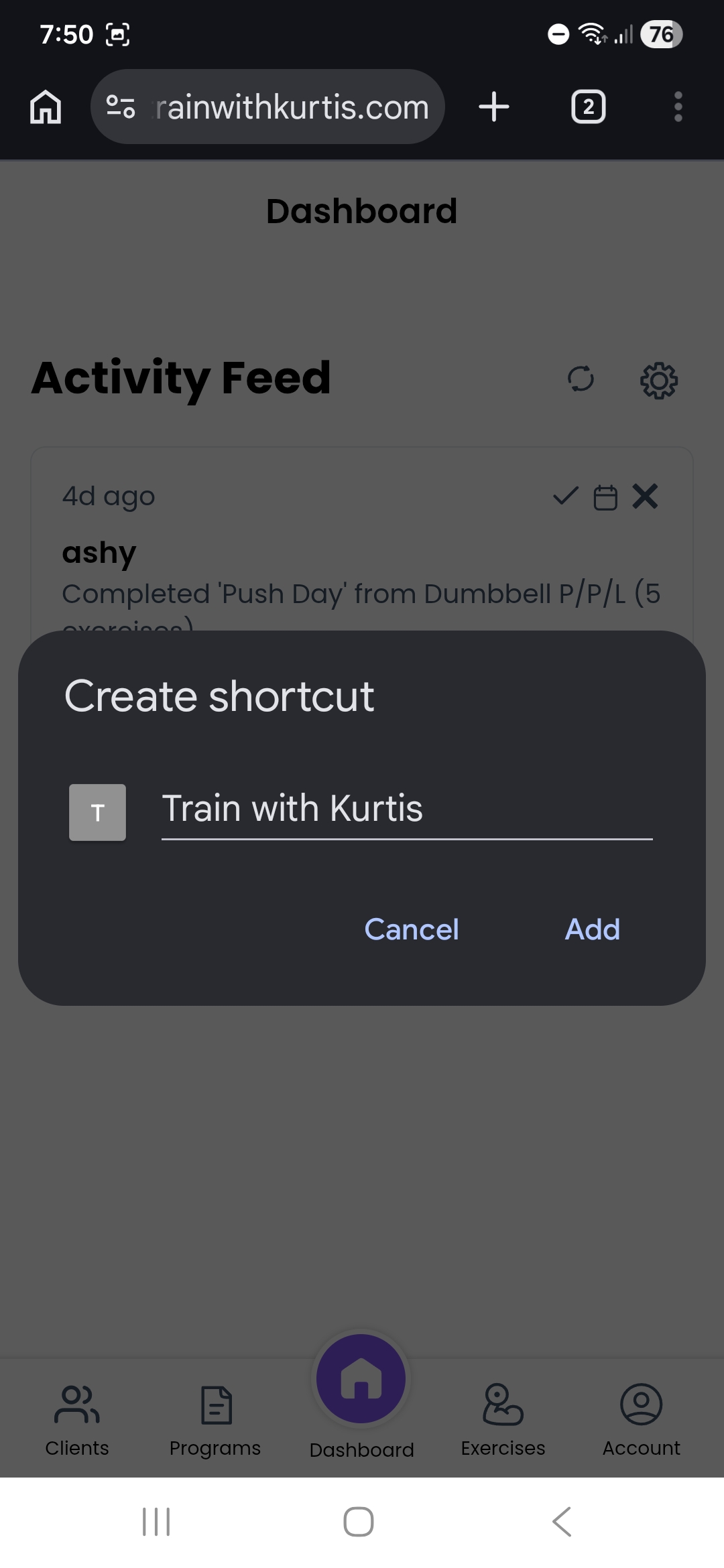
Confirm the installation by tapping "Add" when prompted. The app icon will appear on your home screen.